Inside the app: main screens
Screens from the Android app. The interface language follows the settings of your account.


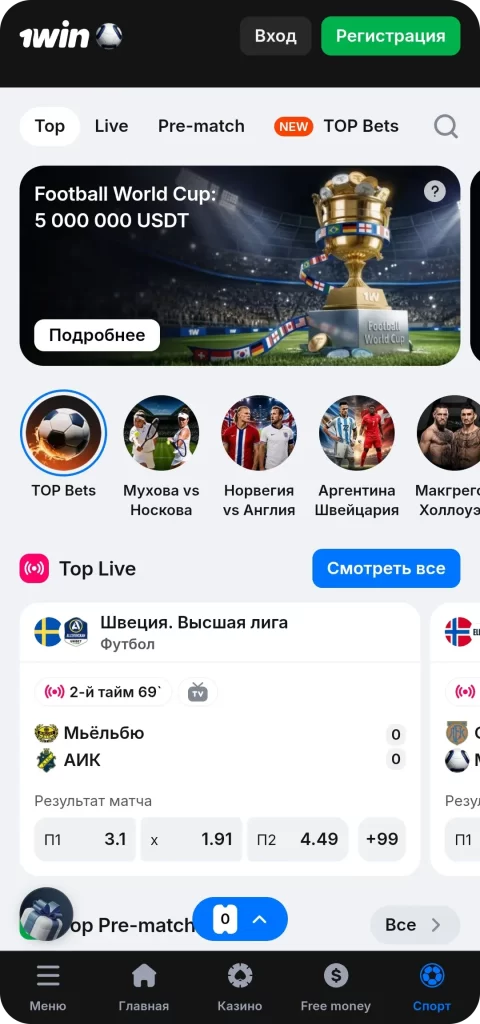

The 1win mobile app comes in three forms: an Android file, an iPhone web app and a Windows client. All three include the casino, cashier and live chat.
The 1win apk is downloaded from the official 1win site, not from Google Play. For a 1win app bd download, open the official page in your phone browser and tap the Android button. Avoid file-sharing sites that offer a 1win original app download, because a tampered file can steal data. Check the file name and size against what the official page shows before you tap install.
Android blocks unknown sources by default. Allow installs from your browser only for this 1win apk download, then switch the setting off again. The installed 1win bet app carries sport, casino and the cashier. If a new version is released, take it only from the same official source.
For 1win ios use there is a web app rather than a store listing. You add it to the home screen from Safari, and it opens full screen like any other icon. There is no file to install and no settings to change, which keeps the process simple and safe.
The web app updates itself when the site changes. Nothing is stored beyond a shortcut, so it takes almost no space on the phone. The cashier, live chat and the full game lobby all work in this view, including bKash and Nagad payments.
A Windows client is available for desktop players. The 1win download sits on the official site under the apps menu.
The client mirrors the website, with the same balance, live chat and cashier. It suits players who keep a match and a casino tab open side by side. A larger screen also makes the crowded menus easier to read.
Screens from the Android app. The interface language follows the settings of your account.
The 1win app bangladesh users install is the same product as the website, tuned for a small screen. Taka balances, bKash and Nagad deposits and cricket lines all work inside it.
Searches for a “1win bangladesh download” or a “1win app download” should always end on the official domain. The 1win official app does not need a separate account; you sign in with the same details you used on the website.
Menus can feel crowded on a phone. Use the search bar to jump to a game or a match. Remember that the app holds real money, so lock your phone with a PIN. Notifications can be switched off in phone settings if they tempt you to play more often than you planned.
In many countries no. Download the Android file from the official 1win site. Allow unknown sources only for that install, then switch the setting off again.
iPhone users add a web app to the home screen from Safari. It opens full screen and needs no file download.
No. Use the same details as on the website.
Yes. Live chat, the cashier and the casino are all in the app. Support answers 24/7 from inside the app.